
PYT mod · Transport Fever 3 · free on mod.io
PYT - Blueprint Exchange
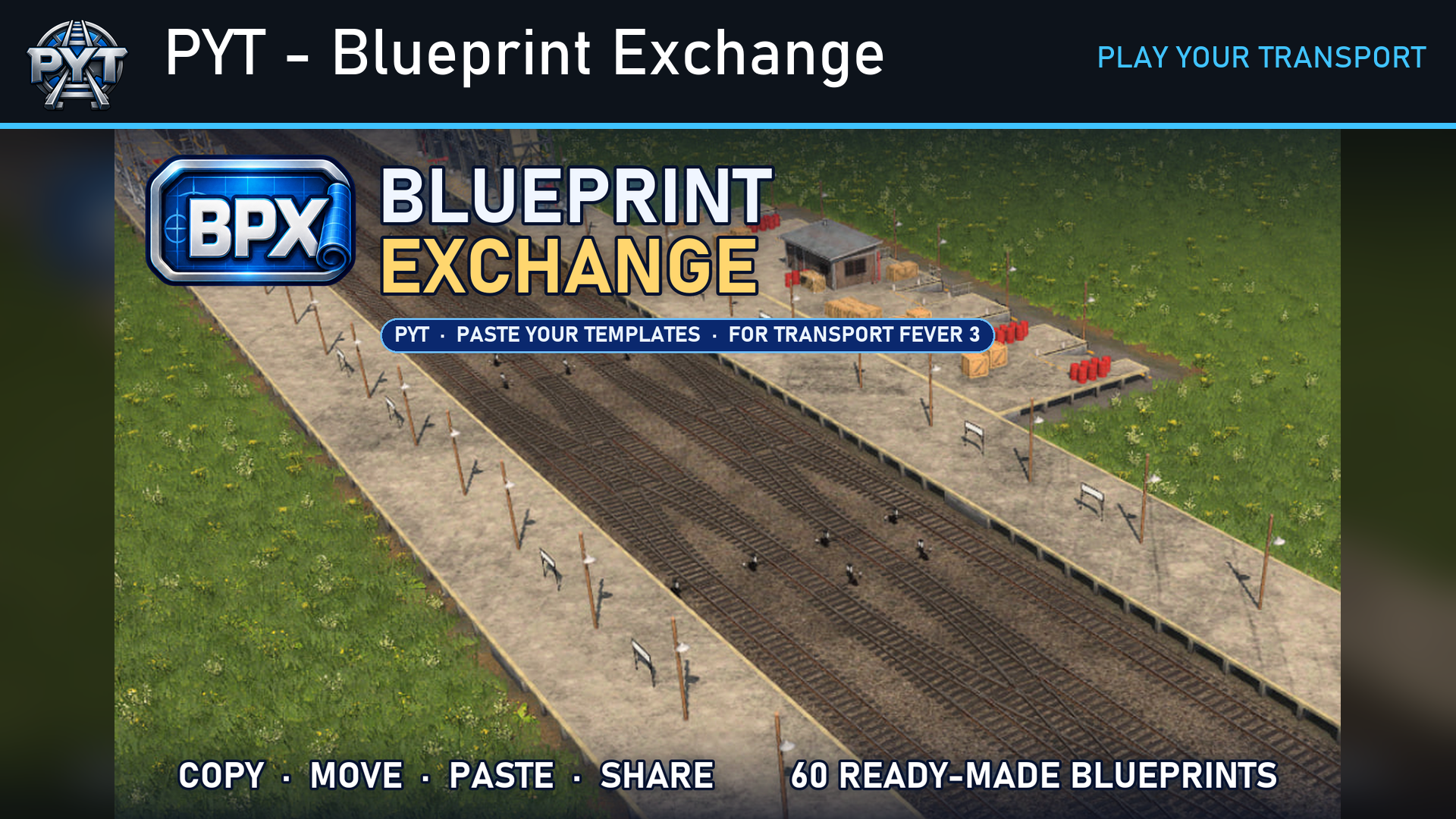
Copy, move and paste whole layouts anywhere on your map -- stations, junctions, signals and all. Click to select, see it fit before you build, and keep the best in your Library with 60 ready-made blueprints. Paste Your Templates.
What it does
PYT - Blueprint Exchange. Built for the serious builder.
You know the evening. Six tracks, two platforms, a flying junction you nudged a metre at a time until the trains flowed through without a single stop at a red signal. The station throat is perfect, the yard fans out just right. And on the next map, you start again from nothing.
Not any more. Copy that junction — the tracks, the signals, the bridges, the station with every module — and paste it anywhere: across this map, or into your next game. Stop rebuilding what you've already perfected.
- Copy everything, not just stations — tracks, roads, junctions, bridges and tunnels, signals, stations with every module, even whole industries.
- Move a station or a factory without tearing up your network — it keeps its lines, its name and its stock, and the roads join back up.
- Clean a layout you drew by hand, in place — near-misses joined, pieces lined up, kinks squared.
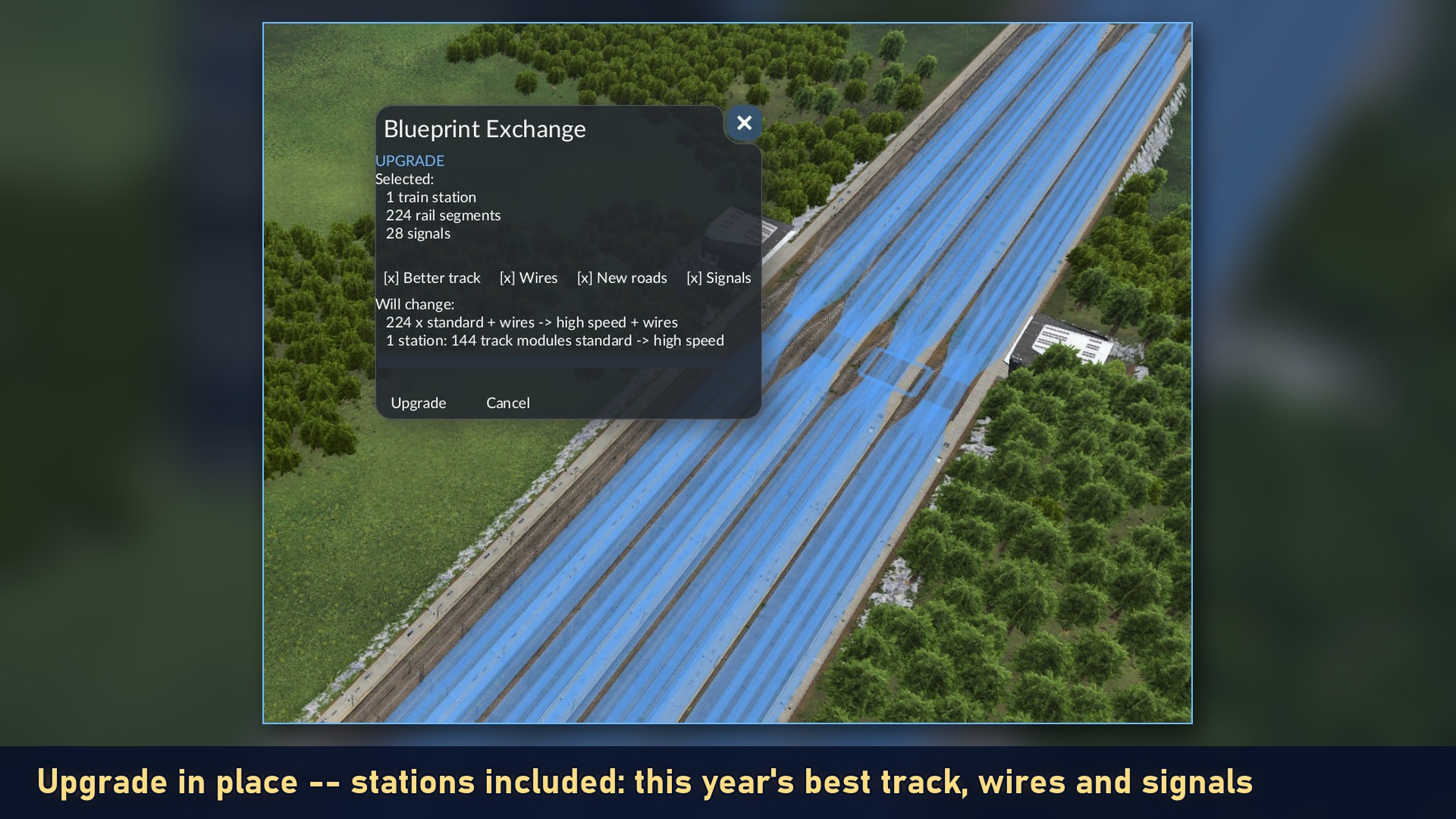
- Upgrade a whole layout to the best track and signals of your year in one go — or step it back.
- Undo any paste, move, delete or clean — exactly as it was.
- Save your best engineering as blueprints — power-cut proof, kept outside your save — and share them with friends.
- 60 ready-made railway blueprints to start from: crossovers, yard fans, station throats, passing loops, wyes and 17 complete stations, each fitted to the era you're playing.
Build once. Refine endlessly. Share your engineering.
Paste Your Templates — a PYT (Play Your Transport) mod by Epod.
 Deutsch? Eine Kurzfassung auf Deutsch findet ihr weiter unten.
How to start
- Click the BPX badge at the top left (or Landscaping > Blueprint Exchange)
- Pick Copy, then click the pieces you want — they light up and list themselves in a panel at the top right
- Press Copy in the panel: the layout follows your mouse. Click to build it.
The tools
(Landscaping > Blueprint Exchange)
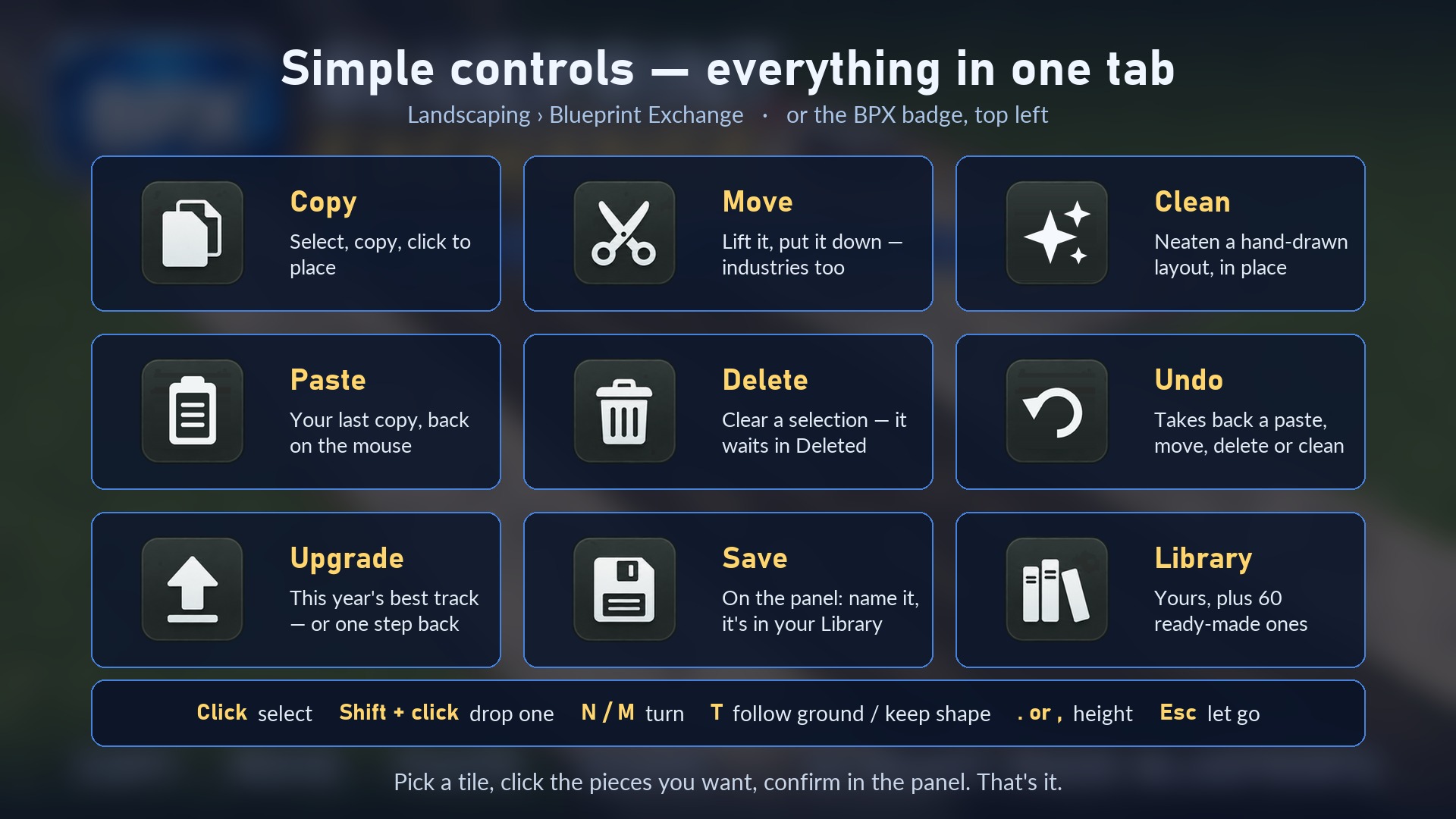
- Copy — select, copy, click to place. Shift + click places another.
- Move — lift a layout and put it down somewhere else. Roads rejoin where they were.
- Clean — tidies a hand-drawn layout in place: joins near-misses, lines pieces up, squares kinks.
- Paste — your last copy back on the mouse.
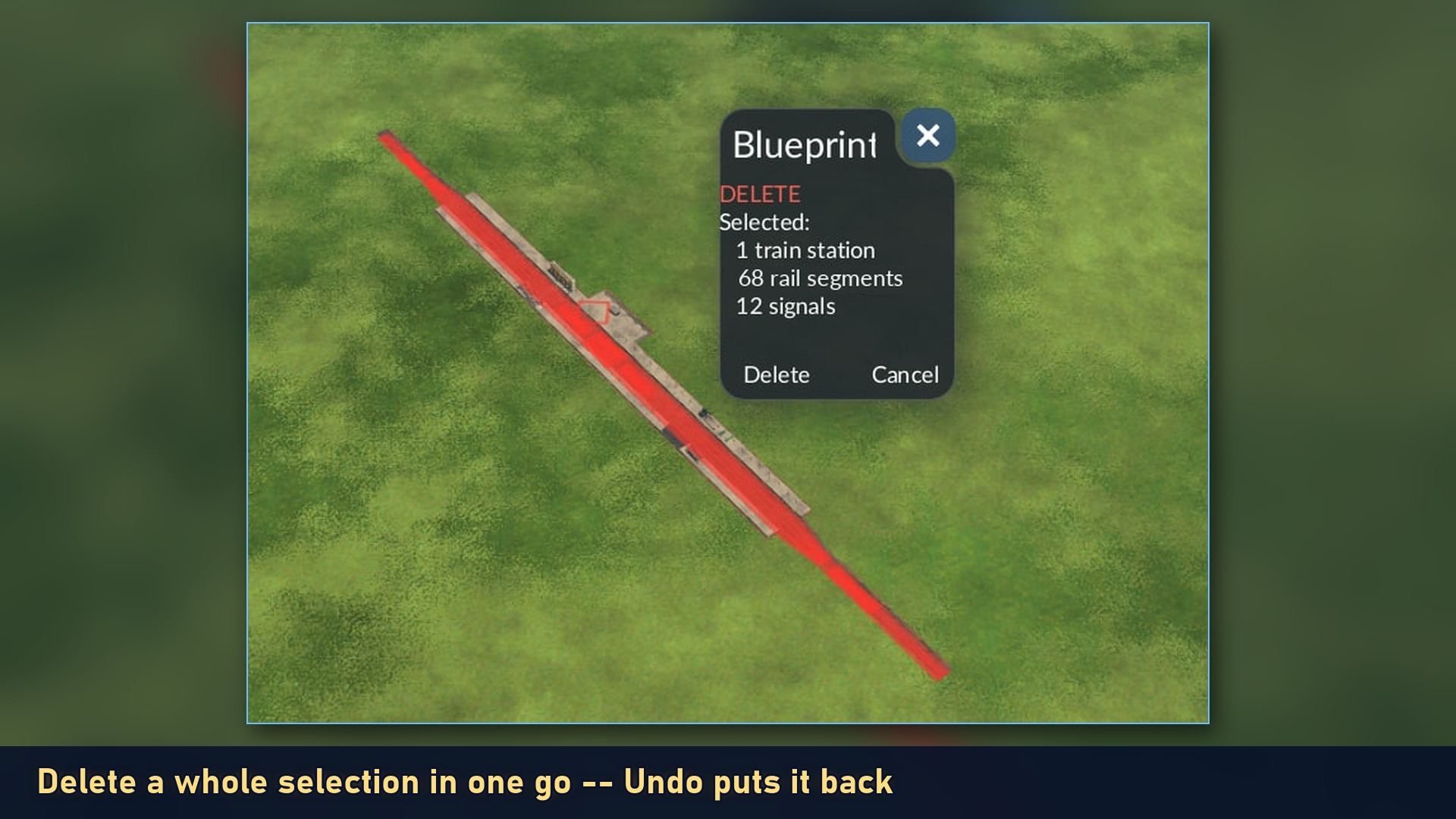
- Delete — clear a selection in one go. It waits in the Deleted tab.
- Undo — takes back your last paste, move, delete or clean, exactly as it was.
- Upgrade / Downgrade — one tile, a switch: the best track for the year, wires on, old roads to new, newer signals — or one step back. All in place.
- Library — everything you've kept. Name a copy there and it's a blueprint.
Selecting: click a piece to add it, or drag a box over several. Shift + click or Shift + drag takes them out — a box only has to touch a piece — and a click puts it back. Every job starts with an empty selection.
Pasting
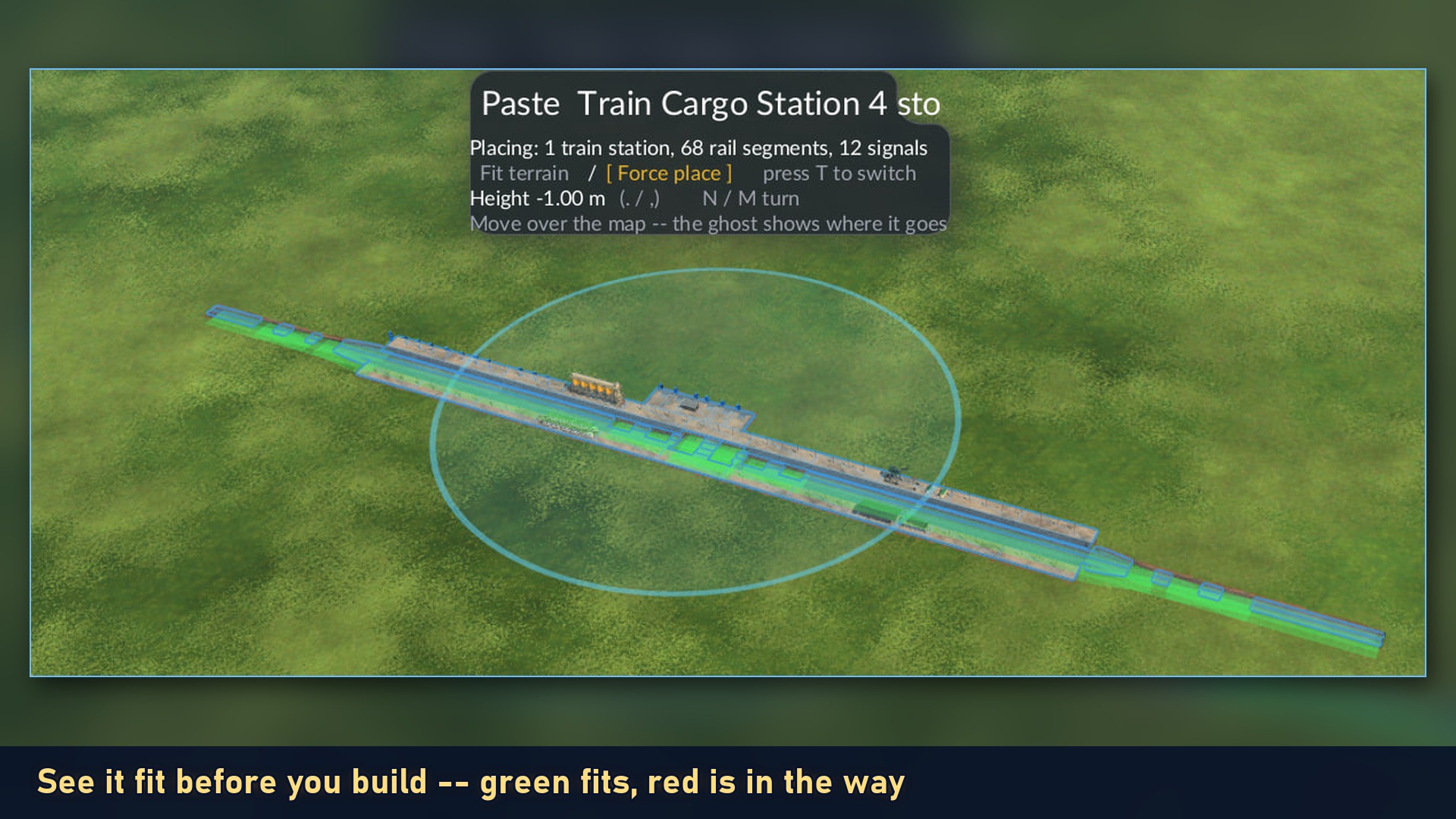
- Green means it fits, red means something is in the way
- N / M turn it (hold Shift for 1 degree steps), or Shift + mouse wheel
- Follow ground or Keep shape: two icons on the panel, T switches. Follow ground grades the layout into the landscape; Keep shape keeps the captured relief and lets the game cut and fill
- . and , raise and lower it
- Green fits. Amber will fit — trees and ground the build clears. Red means something on the map is in the way
- Open road and track ends join the road and track ends already there
- Esc lets go
What comes along
Tracks, roads, bridges and tunnels, signals, bus stops, and stations with every module. Station joins are rebuilt so trains and traffic run straight away. Industries come along when you tick Industries on the panel. Town buildings, Headquarters and landmarks are never copied.
The library
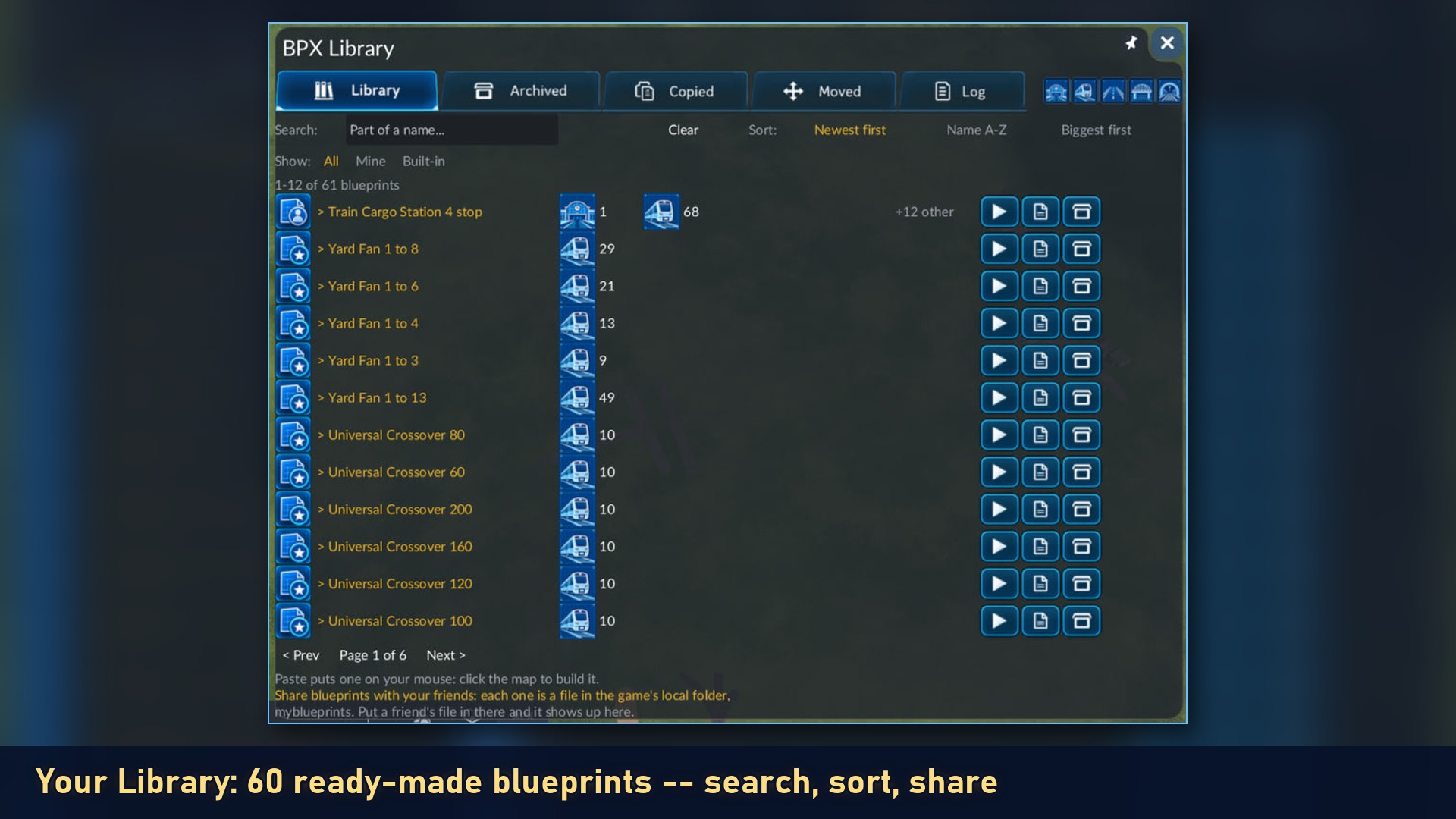
- Library, Archived, Copied, Moved, Deleted — plus a Log of everything BPX did, coloured by tool
- Search, sort, and filter by kind: stations, track, roads, bridges, tunnels
- Archive hides a blueprint without deleting it
- Power-cut proof: every copy and move is saved the moment you make it, outside your save game. A power outage or a crash, a restart, even a different map — your layouts are still in the Library, ready to paste
60 ready-made blueprints
Crossovers, scissor and universal crossovers, sidings, yard fans, station throats, passing loops, turning wyes and 17 complete rail stations — with their signals, ready to paste. Each one fits itself to your year: the right track, roads, signals and station buildings for the era you're playing in.
Share with friends
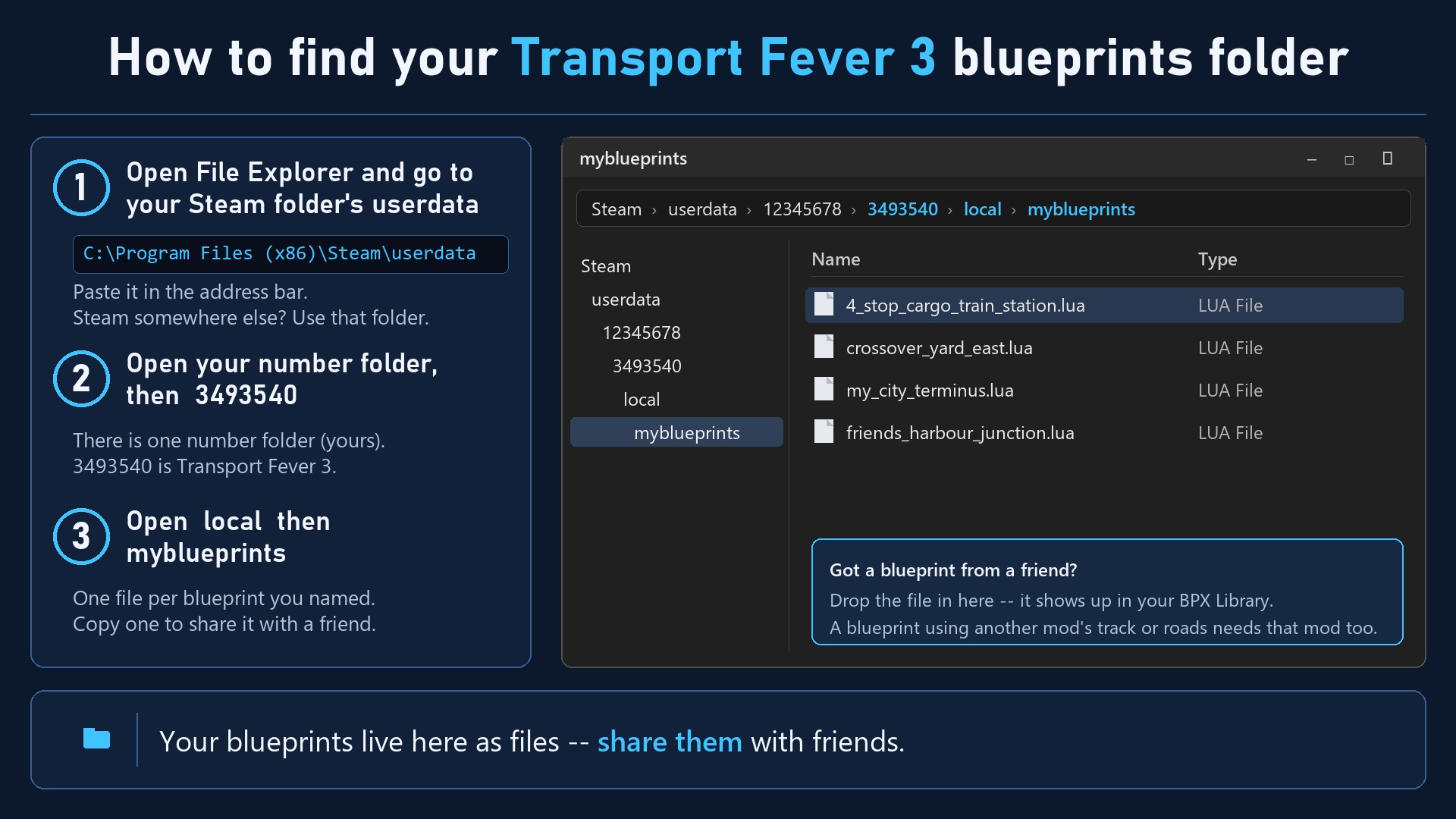
Every blueprint you name is a file (bpxmy_<name>.lua): click My Blueprints in the Library to see them. Send one to a friend; they click My Blueprints, drop it in, and it appears in their Library. Files from older versions work too — no renaming needed. A blueprint that uses another mod's track or roads needs that mod too.
Help us improve
Something not working, or missing a feature you'd love? Leave a comment — every one gets read, and fixes usually land within days.
Version 1.3.1 — by Epod
📓 A gift to all my fellow modders: Transport Fever Modder Field Notes — everything we have learned building these mods, free for anyone to use.
Watch it
▶ Video 1Screenshots
Auf Deutsch
Getestet mit Transport Fever 3, Build 40425.
Neu in 1.3.1: Auf der PS5 stürzte die Oberfläche ab — behoben.
⏳ Dieses Update (und 1.3) wartet noch auf die Freigabe — zum Download steht noch 1.2.2 bereit. Auf dem PC läuft sie einwandfrei. Konsolenspieler: bitte das Fenster erst öffnen, wenn das Update da ist.
- Kurz gesagt: Auf der PS5 die Fenster von Blueprint Exchange sowie das PYT-Neuigkeiten- und Einstellungsfenster bringen die Oberfläche nicht mehr zum Absturz. Auf dem PC ändert sich nichts
- Danke: an Maxmadimus, dessen Meldung bei Pay Your Tolls den Fehler fand
Neu in 1.3: eine ehrliche Vorschau, Rückgängig nimmt genau dein Einfügen zurück, und was BPX nicht vollständig kann, lehnt es ab, bevor es deine Karte verändert.
- Die Vorschau sagt die Wahrheit: grün passt; orange sollte passen, also klicken und es wird gebaut; rot nur, wenn wirklich etwas im Weg ist
- Rückgängig nimmt nur dein Einfügen zurück: alles, was es gebaut hat, auch Signale und die Gleise darunter, und nichts, was vorher schon da war
- Industrie verschieben: sie zieht einmal um und behält ihren Lagerbestand, ohne eine Kopie zurückzulassen
- Verschieben sagt vorher Nein: ein nur halb ausgewählter Bahnhof oder Stadtstraßen werden abgelehnt, bevor etwas verändert wird, mit dem Grund im Panel
- Löschen: in einem Schritt, und Rückgängig baut es mit verbundenen Straßen wieder auf
- Teile aus einer fehlenden Mod: das Einfügen wird vorher abgelehnt, und die Meldung nennt die Mod
- Aufräumen vor Ort ist zurück (in 1.2.2 zur Sicherheit abgeschaltet): es prüft erst jedes Stück und ändert nichts, bis du Bestätigen drückst — dann in einem Schritt, und Rückgängig macht es wieder rückgängig. Ein schon ordentliches Layout bleibt, wie es ist
- Tasten nach dem Kopieren: N / M, . / , und T funktionieren sofort; mit Shift in feinen Schritten
- Danke: an QuantumBlue1 für die Meldungen zu den Tasten und der roten Vorschau
Germany is PYT's biggest supporter: more of our players come from Germany than from any other country. Since you back us the most, it's only fair you get the brief in German too. Spot some clumsy German? Tell us in the comments!
Danke, Deutschland! Die meisten PYT-Spieler kommen aus Deutschland – ihr seid unsere größten Unterstützer. Da ist es nur fair, dass ihr die Kurzfassung auch auf Deutsch bekommt. Unser Deutsch ist nicht perfekt: Wenn euch ein holpriger Satz auffällt, schreibt es gern in die Kommentare – wir freuen uns darüber.
Worum es geht: Kopieren, verschieben, einfügen, teilen. Erfasst beliebige Layouts – Bahnhöfe, Kreuzungen, ganze Industrien – und baut sie an anderer Stelle wieder auf. Speichert sie als Blaupausen und teilt sie mit anderen. 60 fertige Bahn-Blaupausen sind schon dabei.
Die Oberfläche im Spiel ist noch auf Englisch.
So geht’s:
- Oben links auf das BPX-Abzeichen klicken (oder Landschaftsbau > Blueprint Exchange)
- Copy wählen und die gewünschten Teile anklicken – sie leuchten auf
- Im Panel oben rechts Copy drücken: das Layout folgt der Maus, ein Klick baut es
Pending: version 1.3.2
Waiting for mod.io’s approval. A PC copy is on the early-access page; it comes off once mod.io approves.
Latest update
1.3.1 — CONSOLE FRIENDLY
⏳ This update (and 1.3) is pending approval — the current version for download is 1.2.2. It works fine on PC. Console players: please don’t open its window until this update is live.
Our windows politely asked the PlayStation for a close button. The PlayStation doesn't have one, took offence and walked out — taking your whole interface with it. We've had a word.
- In plain terms: on PS5, Blueprint Exchange's windows — and the PYT news and Settings windows — no longer crash the interface. On PC nothing changes
- Thanks: to Maxmadimus, whose Pay Your Tolls report found it
📜 Every update so far, in English and German: tfbpx.com/pyt-blueprint-exchange-history.html
Waiting for mod.io’s approval? Get it now for PC — a hand-install zip, removed once mod.io approves.